-- A survey which will likely be of interest to the zsh and/or iTerm and/or Git users --
I used zsh for almost 3 years exclusively before moving over to Fish. Oh-my-fish doesn't leave me lacking for any features that Oh-my-zsh has, and it's easier for me to extend as well.
Anyways, yeah. Fish rules. The package manager that comes with oh-my-fish is nice, but you have options like 'fundle'. And being able to see what each function does/edit it out of the box with 'funced' is great.
This is a good cheat-sheet to start with fish and omf.[2] Followed by a setup that's pretty standard for zsh converts especially if you're on OS X[3]. Bobby's theme is good out of the box and git-friendly. Read the guide to see the out-of-the-box omf plugin functionality[4]. It really is that easy. Some iTermer's like Agnoster[5], and the github page has previews for dozens of themes.
-- Modifications that might be of interestif you're an autojump/z/j user [Skip to the citations 2-5 if you just want to try Fish out] --
Directory navigation/auto-complete/globbing is probably the #1 'issue' I've had with shells, and I'd imagine others as well because of the numerous 'j','z','autojump', etc solutions that are out there. My problem with all of those is that it uses heuristics rather than giving you a deterministic solution as to 'ok, you will end up here'.
After ~15 years I finally wrote my own solution extended fish with SQLite. After every cmd, it makes an atomic append to the directory history log table with:
a timestamp,
the working directory,
the command invoked (naive), e.g. if you're already in /etc/httpd/ 'emacs foo.conf' will be the column entry,
and the full-path command, e.g. 'emacs /etc/httpd/foo.conf'.
There are also 'bookmarks' I can set and view in another table.
And finally I have a dirh stack (using the cmd_history table with just a naive SELECT DISTINCT cwd FROM tbl GROUP BY cwd ORDER BY timestamp DESC limit 10 -- or something, it's been a while since I've looked at it) which is visually printed to show the most recent first, making different 'context switches' real easy in a deterministic fashion due to how fish renders it's auto-complete paging.
I invoke my command with ;<Tab> and it shows 3 columns -each with a prefix and an easily accessible home-row association char {a,s,d,f,e,h,j,k,i,l}[10]:
my bookmarks, my dirh stack, and my most frequently visited dirs.
It sounds complicated but ;bs substitutes in 'cd ~/' much like a snippet-- so I can type ;bs[<key>s in my case expands to cd /home/andrew/]foo<Enter> and I'm in /home/andrew/foo/. This also works for expanding with other commands (not just cd) and written so your leader key can be anything[1]
It's way faster than cd ~/foo/ (~30% speed increase). With fish I can actually timestamp from when the command-prompt renders to when enter is hit, then compare the difference between the two. I suspect its because I'm so homerow oriented that the action of pivoting on my wrists to hit Left-shift then extending my middle-forefinger to hit ~.
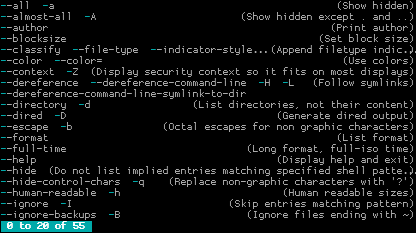
The most convenient thing is I know for a fact where I'm going to be, because the fish-pager generates an overlay (something like this: http://www.screenage.de/blog/uploads/fish11.png ) with those 3 previous columns previously mentioned generated upon the ;<Tab> sequence, I can look at the table (if I need to, common directories are muscle memoried), complete my command, and the uninstrusive autocomplete disappears.
----
[1](I just chose ; since no shell I've ever used, whether it was ksh on SunOS or scsh-guile, ever had a grammar where ; was a character that began an expression).
That history idea is fantastic! I was using global history when I was on zsh, which was convenient when looking for something I did recently, and annoying for all the other cases.
I need to set up something like that too, thanks for the idea!
Is oh-my-fish usable if you've already got a bunch of customizations? I don't want to install it if it means half my stuff is going to break. I have things versioned in a git repo, but still...
I used to use autojump, but switched to z — it's so simple and works fine. (I don't care if it's not going to be updated anymore, I don't need any new features. In fact, I never bothered to update it to newer version.)
Neither are abandoned, I think both projects are in a relatively stable state.
Both projects also have the same basic functionality but different priorities. z aims to be dependency free and simplistic while autojump requires Python 2.6+ but has a bit more features:
- fuzzy matching (corrects for spelling errors)
- sectional path matching helps differentiate between the same directory name in multiple locations:
-- `j var nginx` or `j etc nginx` is enough to differentiate between `/var/log/nginx` and `/etc/nginx`
-- combined with fuzzy matching results in shorthand jumps: `j v ng` or `j e ng`
- `jc` searches only children directories of current path
- opens up a native file browser with `jo <args>` or `jco <args>`
- manual control of path weights: Both z and autojump use frequency and recency to suggest paths, but sometimes I want this newly created nginx path to always win without waiting for the algorithm to learn
- better tab completion
- more shells supported (fish, experimental tcsh and clink support)
Disclaimer: I'm the current maintainer of autojump.
If you are currently in "a/b/c", then "pcd x" will try to change to "a/x/c", "pcd x 0" to "a/b/x", "pcd x 2" to "x/b/c".
pcd is helpful if you are working in a directory tree with parallel structures. You're in "proj/parser/src" but need to be in "proj/iolib/src". Just "pcd iolib".
I made something similar to that. I also made a couple other scripts to help with navigating deep directory subtrees:
"cdup" would jump to the specified ancestor directory of the CWD. So from /a/b/c/d/e, "cdup b" jumps to /a/b. This beats typing "cd ../../..", & it lends itself naturally to autocomplete. Writing this script is a piece of cake.
"cdto" is roughly the inverse of "cdup". It would jump to the specified descendant of the CWD, if one exists. If there is more than one possibility, it displays a choice (using `select`). So from /a, "cdto e" might jump to /a/b/c/d/e. This entails doing a recursive directory search, which can take a little bit of time, but it can save obnoxious typing in big, nasty directory trees. Writing this script is a bit trickier.
cdto also accepted a file as argument, in which case it jumped to the directory that contained that file.
My coworker Andy is a former Bell Labs unix guy, and incredibly resistant to change; when I introduced him to z after a few days he described it as "the first new unix command I've introduced to my regular workflow in 20 years".
z is cool because it is just a bash script with no dependencies and because it is simple -- just one command. Most of the time it guesses the right directory. When it doesn't, it can be slightly cumbersome though to make it jump to the right directory.
You can get part way to this sort of experience in standard bash/sh by setting up a thoughtful 'CDPATH' and also making use of 'cd -'. In fact I have the latter aliased as z because it's like Undo.
CDPATH is kind of obnoxious. It's confusing to have phantom subdirectories no matter where you are, which interact with auto-completion, and they can alias real subdirectories, which is always surprising and annoying when it happens. Furthermore, the autocomplete support for CDPATH directories didn't work satisfactorily.
I found a somewhat better way to use CDPATH. I made the only thing in my CDPATH a special directory into which I placed symlinks, and all of the symlinks were prefixed with an underscore. So if I wanted to jump to one of these "bookmarks," I'd start with the underscore prefix; this reduced the likelihood of them aliasing subdirectories in $PWD. I wrote shell functions to automate adding and deleting links, which automatically enforced the underscore rule. I eventually got sick of even this system and stopped using it.
My final conclusion was that CDPATH is not useful. When I want quick access to a directory, I just make a symlink in $HOME. It's not that hard to type `cd ~/symlink`, and it always does what you expect.
Mine aren't offered in autocompletion nor do they shadow normal subdirectories (maybe because I'm using bash in /bin/sh mode, and I have ".:" as the first component, respectively?).
Right, was going to mention CDPATH but searched the thread first to see if anyone already had. Also, as you have said, 'cd -' is useful; more so if you often toggle between two dirs, such as a src and a corresponding bin dir (e.g. doing C dev), or src and doc, etc. Then you only need to keep doing 'cd -' to toggle between them, as long as you are not going to any other dir in between.
For long dir paths that I cd to often, I sometimes define them as shorter shell env. vars. and add them to my .profile or equivalent startup file. Then I just do:
I have Page Up and Page Down set to cycle through the directory stack, so they are similar to the back and forward buttons in a web browser. Except that mine is circular.
I can't take credit; I found the idea on the web somewhere and made refinements. I can't remember anymore which parts were mine and which were from the web.


http://fishshell.com - Fish Shell
http://fishshell.com/assets/img/screenshots/autosuggestion.p... - Unintrusive autocomplete, thanks to coloring.